Xero for Handymen: 9 Powerful Features Handyman Businesses Will Love (2026)
Affiliate Disclosure: This article contains affiliate links. If you sign up for Xero through a link on this page, VantageHub may earn a commission at no extra cost to you. Our reviews stay independent — we recommend tools based on their merits, not on commissions.
Running a handyman business means juggling a dozen small jobs a week, each with its own quote, parts run, invoice, and payment chase. When the paperwork piles up after a long day on the tools, bookkeeping is usually the first thing that slips.
That is exactly where Xero for handymen earns its place. It turns the admin that eats your evenings into a few taps on your phone, so you can spend more time fixing things and less time chasing numbers.
In this guide, we look at the nine features of Xero for handymen that matter most to a handyman business, the real cost of each Xero plan, and whether the software is genuinely worth it for a one-person operation or a small crew. Everything here is written from the point of view of a working handyman, not an accountant.
Why Handyman Businesses Need Better Bookkeeping
Most handymen start with a notebook, a spreadsheet, or a pile of paper receipts in the van. That works until the business grows. Suddenly there are five quotes outstanding, three invoices unpaid, a parts bill you forgot to record, and a tax deadline creeping up. Paper systems do not scale, and they hide the one number every handyman needs: which jobs actually make money.
Xero for handymen replaces that chaos with a single app that tracks quotes, invoices, expenses, and bank transactions in one place. Because it is cloud-based, your books are always current whether you are on a ladder, in the van, or at the kitchen table. Your accountant can log in too, which means no more handing over a shoebox of receipts at tax time.
The other problem Xero for handymen solves is time. A handyman bills by the hour and by the job, so every hour spent on admin is an hour not earning. The features below are chosen for one reason: they give that time back.
9 Powerful Features of Xero for Handymen
Here are the nine features that make the biggest difference for a handyman business, from the moment you quote a job to the moment the money lands in your account.
1. Send Professional Invoices From the Job Site
With Xero for handymen, you can raise an invoice on your phone before you have even packed up your tools. The mobile app lets you create a branded invoice, add labour and materials, and send it to the customer by email or text while you are still at their door. That speed matters: invoices sent the same day get paid far faster than invoices sent a week later.
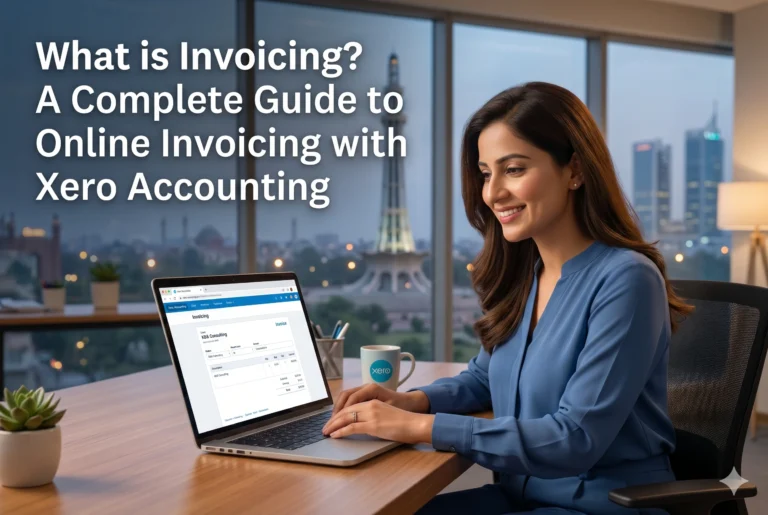
You can also set up repeating invoices for regular customers, such as landlords who book you every month for maintenance. Xero tracks which invoices are paid, overdue, or still outstanding, and it can send automatic reminders so you do not have to make awkward phone calls. For a full walkthrough of the invoicing workflow, see our complete guide to online invoicing with Xero.
2. Get Paid Faster With Online Payments
Cash and bank transfers are slow, and cheques are worse. Xero connects with payment providers such as Stripe and PayPal, so customers can pay your invoice online with a card in a couple of clicks. The “Pay now” button on the invoice removes every excuse for delay, and Xero marks the invoice as paid automatically when the money arrives.
For a handyman, this is one of the most valuable features in Xero for handymen. Same-day payment improves cash flow, cuts down on chasing, and makes the whole business feel more professional. Our guide to the online payments feature in Xero explains the setup step by step.
3. Track Expenses and Receipts on the Go
Every handyman knows the pain of a lost receipt for parts. Xero’s mobile app lets you photograph a receipt at the trade counter and attach it to the expense in seconds. Tools like Hubdoc and Dext can pull the details out of the photo automatically, so the expense is recorded before you have even left the shop.
Claiming expenses properly is also how you keep your tax bill honest. Fuel, materials, tool hire, and consumables all add up, and Xero for handymen keeps them organised by job or by category. When you need to log a purchase made for a specific customer, the claim expenses feature in Xero makes the process quick and auditable.
4. Bank Reconciliation That Keeps Up With You
Xero connects directly to your business bank account and imports transactions every day. Its bank reconciliation then matches payments to invoices and expenses automatically, so your books stay current without manual data entry. When a customer pays, Xero suggests the match, and one click confirms it.
This is a quiet feature with a big payoff. It means you always know your real bank balance, you can spot a missed payment the day it happens, and your month-end takes minutes instead of hours. Our Xero bank reconciliation guide shows exactly how the matching rules work.
5. Track Every Job’s Profitability
Not every job pays the same. A two-hour tap replacement and a full-day fence repair look similar on a bank statement, but one may earn twice as much per hour as the other. Xero’s project tracking lets you tag time, materials, and expenses to each job, so you can see the true profit on every piece of work.
Over a few months, that data changes how you price. You will know which jobs to take more of, which to price higher, and which to stop offering. For a handyman business, that insight is worth more than any single feature. Our guide to project tracking in Xero explains how to set it up for job-based work.
6. Quotes and Estimates That Convert
Before a job starts, the customer wants a number. Xero lets you build a professional quote from your price list, email it to the customer, and track whether they have seen it. When they accept, the quote converts into an invoice in one click, with all the line items carried over.
That smooth handover from quote to invoice is one reason Xero for handymen suits tradespeople who price several jobs a week. It also looks far more professional than a figure scribbled on the back of a business card, which helps you win work against competitors who still quote by text message.
7. Payroll for Your Small Crew
Many handymen work alone at first, then bring in a helper or an apprentice as the diary fills up. Xero for handymen includes payroll that handles wages, tax, and payslips for a small team without needing a separate payroll system. You can run pay in minutes, and your employees can check their own payslips online.
Even if you are a sole trader with no staff, the payroll tools are worth knowing about for the day you hire. Our overview of payroll features in accounting software covers what to look for as your team grows.
8. Real-Time Reports and Cash Flow Forecasts
Xero for handymen gives you a live view of the business: profit and loss, outstanding invoices, upcoming bills, and a cash flow forecast that shows whether next month will be tight. You do not need to be an accountant to read them. The dashboard answers the two questions that matter: how much money is coming in, and how much is going out.
That visibility changes decisions. You can see a quiet month coming and book marketing work early, or spot that a regular customer is drifting into late payment before it becomes a problem. Our practical guide to financial reporting with Xero explains the reports worth checking every week.
9. Work From Anywhere With the Mobile App and Multi-User Access
A handyman’s office is the van. Xero’s mobile app puts invoicing, expenses, and bank balances in your pocket, and it syncs with the desktop version automatically. When you get home, everything you entered on site is already there.
You can also give your accountant or a bookkeeper their own login, so they can review the books without you exporting files or sharing passwords. The multi-user access features in Xero let you control exactly what each person can see and do, which keeps the business secure while still getting expert help.
Try Xero free and see how it fits your handyman business: Start your free Xero trial
Xero for Handymen Pricing
Xero for handymen is priced in three plans, and the right one depends on how many invoices and bills you handle each month. The official international pricing is straightforward: Starter costs $29 per month, Standard costs $50 per month, and Premium costs $75 per month.
New customers also get an introductory discount: $5.80 per month for the first three months on Starter, and $10 per month for the first three months on Standard.
Starter suits a one-person handyman who sends fewer than 20 invoices a month and records fewer than 5 bills. It includes bank reconciliation, document capture, and real-time reports. Standard removes those limits and adds bulk reconciliation, automated bill entry, and budgeting, which suits a busier handyman or a small crew. Premium adds multi-currency and deeper forecasting, which most handymen will not need unless they work across borders.
For most users of Xero for handymen, Standard is the sweet spot once the diary is full, while Starter is a fair starting point for a new solo operator. Our full breakdown of Xero pricing plans explained compares every feature side by side.
See which plan fits your workload: Start your free Xero trial
Xero for Handymen vs QuickBooks
The most common comparison a handyman will make is Xero for handymen versus QuickBooks. Both handle invoicing, expenses, and bank reconciliation well. Xero’s edge is its clean interface, strong mobile app, and the way it handles multi-user access for your accountant. QuickBooks has a larger library of integrations and a bigger user community in some regions.
For a handyman who works mostly from a phone and values a simple, uncluttered workflow, Xero usually feels like the easier tool day to day. Our detailed Xero vs QuickBooks comparison looks at pricing, features, and ease of use in depth, so you can judge for yourself.
Getting Started With Xero for Handymen
Setting up Xero for handymen takes less than a day. Start by connecting your business bank account, then import your customer list and any outstanding invoices. Set up your services and common materials as inventory items with prices, so quotes and invoices take seconds to build.
Next, turn on the mobile app and try the full loop on your next job: quote the customer, convert the quote to an invoice, photograph the parts receipt, and reconcile the payment when it arrives. Once that loop feels natural, invite your accountant so they can check the setup and set up your tax categories properly.
The complete guide to what Xero is is a useful companion if you want a broader tour of the platform before you commit.
Frequently Asked Questions About Xero for Handymen
Is Xero good for a one-person handyman business?
Yes. Xero for handymen works well for a solo operator because the Starter plan is affordable and the mobile app handles the daily admin in minutes. You do not need accounting knowledge to use it, and you can upgrade to Standard as the business grows.
Can Xero track costs for each individual job?
Yes. With Xero for handymen, project tracking lets you assign time, materials, and expenses to a specific job, then report the profit on that job alone. That makes it easy to see which types of work earn the most and where your pricing needs adjusting.
Does Xero help handymen get paid faster?
Yes. With Xero for handymen, invoices sent from the job site with an online payment link are paid much sooner than paper invoices posted days later. Automatic reminders also chase overdue invoices for you, which removes one of the most time-consuming parts of running a handyman business.
Do I still need an accountant if I use Xero?
Xero handles the day-to-day bookkeeping, but an accountant is still valuable for tax returns, year-end accounts, and advice. The difference is that your accountant works from live, accurate books instead of a pile of paper, which usually means lower fees and fewer surprises.
Final Verdict: Is Xero for Handymen Worth It?
For most handyman businesses, the answer is yes. Xero for handymen removes the admin that eats your evenings: same-day invoicing, online payments, receipt capture, automatic bank reconciliation, and clear job profitability. The Starter plan costs less than a single small job each month, and the time it saves pays for itself many times over.
It is not perfect. You will still need to enter jobs and prices yourself, and Premium is overkill for most solo operators. But for a handyman who wants to spend the working day fixing things instead of chasing paperwork, Xero for handymen is one of the strongest choices available. If your current system is a notebook and a pile of receipts, the upgrade is overdue.
Before you pay bills or chase overdue invoices, remember that paying bills in Xero is just as streamlined as getting paid. And if you are ready to try it, the free trial costs nothing to test on your next few jobs.
Ready to tidy up your handyman books? Try Xero free for 30 days and run your next job through it. If you would rather compare plans first, our Xero pricing guide has the full breakdown.
Still deciding? Our complete guide to Xero covers the platform in full, from setup to advanced features.