Financial Reporting in Accounting: A Complete Practical Guide Including Xero
Financial reporting is one of the most important pillars of accounting. It transforms raw financial data into meaningful information that helps businesses understand performance, make decisions, and plan for the future.
This article explains financial reporting in simple but professional terms, shows how it works in accounting systems, and highlights how modern tools like Xero handle financial reporting as a core feature.
What is Financial Reporting?
Financial reporting is the process of recording, summarizing, and presenting a business’s financial information in structured reports.
These reports show:
- How much money a business earns
- How much it spends
- What it owns and owes
- Overall financial performance over a period of time
In simple terms, financial reporting answers the question:
“Is the business making profit or loss, and what is its financial position?”
What is Financial Reporting in Accounting?
In accounting, financial reporting is the final step of the accounting cycle.
It comes after:
- Recording transactions (journal entries)
- Posting to ledgers
- Preparing trial balance
- Adjusting entries
After all of this, accountants prepare formal financial statements that represent the financial health of a business.
These include:
1. Income Statement (Profit & Loss Statement)
Shows:
- Revenue
- Expenses
- Net profit or loss
2. Balance Sheet
Shows:
- Assets (what the business owns)
- Liabilities (what it owes)
- Equity (owner’s value)
3. Cash Flow Statement
Shows:
- Cash inflows and outflows
- Operating, investing, and financing activities
4. Statement of Changes in Equity
Shows how owner’s equity changes over time.
Why Financial Reporting is Important
Financial reporting is not just an accounting requirement—it is a decision-making tool.
1. Helps in Decision Making
Business owners can decide whether to expand, reduce costs, or invest.
2. Tracks Business Performance
It shows whether the company is growing or facing losses.
3. Required for Compliance
Governments and tax authorities require accurate financial reports.
4. Attracts Investors
Investors rely on financial reports before investing in any company.
5. Improves Financial Control
It helps identify unnecessary expenses and inefficiencies.
How Financial Reporting Works in Accounting (Step-by-Step)
Financial reporting follows a structured process:
Step 1: Collect Financial Data
All transactions are recorded (sales, purchases, expenses, etc.).
Step 2: Classify Transactions
Transactions are categorized into accounts like revenue, assets, liabilities, etc.
Step 3: Record in Accounting System
Entries are posted into ledgers or accounting software.
Step 4: Adjust Entries
Adjustments are made for depreciation, accruals, and prepayments.
Step 5: Prepare Trial Balance
Ensures total debits and credits are equal.
Step 6: Generate Financial Statements
Final reports are prepared:
- Income statement
- Balance sheet
- Cash flow statement
Step 7: Analyze Reports
Business owners and accountants interpret the data for decision-making.
Financial Reporting in Modern Accounting Software
Traditionally, financial reporting was done manually using spreadsheets. Today, cloud-based accounting tools automate most of the process.
Modern systems like Xero make financial reporting:
- Faster
- More accurate
- Real-time
- Easily accessible from anywhere
Financial Reporting Features in Xero
Xero is a cloud-based accounting software widely used by small and medium businesses. It offers powerful financial reporting features that simplify accounting work.
1. Real-Time Financial Reports
Xero automatically updates financial reports whenever a transaction is entered.
This means:
- No waiting for month-end closing
- Always up-to-date financial position
2. Profit & Loss Reports
It generates detailed income statements showing:
- Revenue breakdown
- Expense categories
- Net profit calculations
3. Balance Sheet Automation
Xero automatically builds a balance sheet with:
- Assets
- Liabilities
- Equity
4. Cash Flow Tracking
It provides insights into:
- Incoming payments
- Outgoing expenses
- Cash availability
5. Custom Reporting
Users can customize reports based on:
- Date range
- Departments
- Projects
- Tracking categories
6. Tax Reporting Support
Xero helps in preparing tax-ready reports by:
- Categorizing transactions
- Calculating taxable income
- Supporting compliance requirements
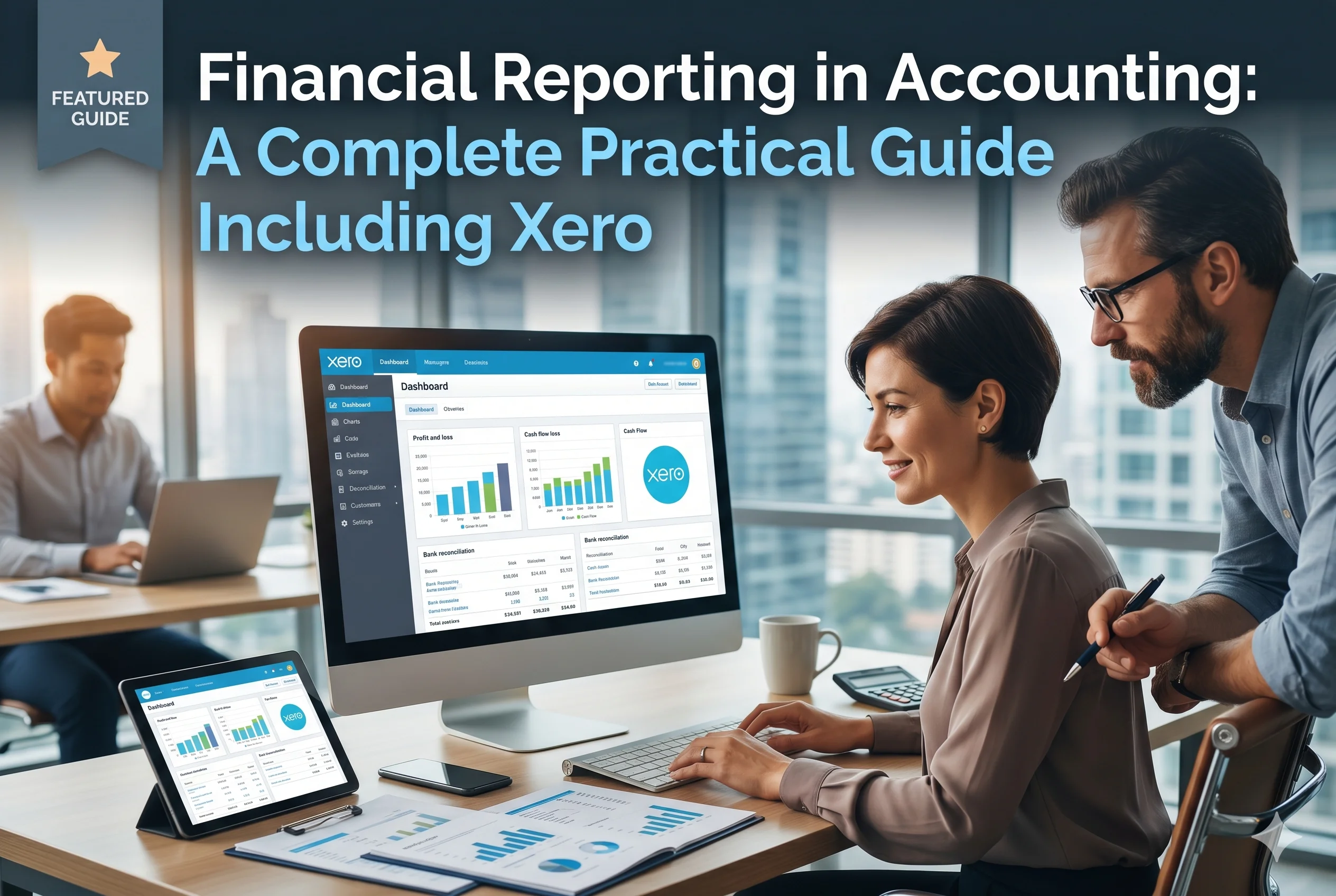
7. Dashboard Insights
Xero provides a visual dashboard that shows:
- Bank balances
- Outstanding invoices
- Bills to pay
- Financial performance summary
How Financial Reporting Works in Xero
Understanding how Xero handles financial reporting helps you see why it is powerful.
Step 1: Data Entry
Transactions are entered manually or imported from bank feeds.
Step 2: Automatic Categorization
Xero categorizes transactions into accounts using rules.
Step 3: Continuous Reconciliation
Bank transactions are matched with accounting records.
Step 4: Real-Time Report Generation
Financial reports update instantly without manual compilation.
Step 5: Export & Sharing
Reports can be:
- Downloaded as PDF or Excel
- Shared with accountants or stakeholders
- Used for tax filing
Traditional Accounting vs Xero-Based Financial Reporting
| Feature | Traditional Accounting | Xero Accounting |
|---|---|---|
| Speed | Slow | Real-time |
| Accuracy | Manual errors possible | Automated and accurate |
| Accessibility | Physical records | Cloud-based access |
| Reporting | End-of-month | Instant reports |
| Updates | Manual updates required | Automatic updates |
Benefits of Using Xero for Financial Reporting
Using Xero provides several advantages:
1. Saves Time
Automates repetitive accounting tasks.
2. Reduces Errors
Minimizes human mistakes in calculations.
3. Improves Financial Visibility
Business owners can see financial health anytime.
4. Enhances Decision Making
Real-time insights help in faster decisions.
5. Scales with Business Growth
Suitable for startups, SMEs, and growing companies.
Which Businesses Should Use Financial Reporting Tools Like Xero?
Financial reporting tools are useful for:
- Small businesses
- E-commerce stores
- Freelancers
- Service-based companies
- Accounting firms
- Startups and scaling businesses
If a business deals with regular transactions, financial reporting software becomes essential.
Conclusion
Financial reporting is the backbone of accounting. It converts raw financial data into structured insights that guide business decisions, ensure compliance, and measure performance.
With modern cloud tools like Xero, financial reporting is no longer a complex manual process. It becomes automated, real-time, and highly accurate—giving business owners complete control over their finances.
If you want better financial clarity, smarter decision-making, and efficient accounting, adopting a financial reporting system is no longer optional—it is essential.