
Xero for Accountants: 9 Powerful Features Accounting Firms Will Love (2026)
Affiliate disclosure: VantageHub is an independent review site. This article contains affiliate links — if you start a trial or buy through them, we may earn a commission at no extra cost to you. Our reviews stay independent, and we only recommend tools we would use ourselves.
Accountants juggle dozens of clients, hundreds of transactions, and deadlines that never seem to pause. The right software should make that workload lighter, not heavier. Xero for accountants is built around exactly that idea: a cloud platform that lets accounting firms manage every client from one dashboard, automate the repetitive work, and spend more time on the advisory work clients actually value.
In this guide, we look at Xero for accountants from the perspective of a working practice. We tested the features that matter to firms — client management, bank reconciliation, reporting, payroll, and collaboration — and we weigh them honestly against the alternatives. If you run an accounting firm, a bookkeeping practice, or a solo CPA office, this review will help you decide whether Xero deserves a place in your toolkit.
Start your free Xero trial and see how the platform handles your own client list before you commit.
9 Powerful Features of Xero for Accountants
Xero for accountants is more than a bookkeeping tool with a different label. The platform adds practice-level tools on top of its core accounting engine, so a firm can onboard clients, track jobs, reconcile accounts, and deliver reports without switching between five different apps. Here are the nine features that matter most.
1. Xero HQ: One Dashboard for Every Client
Xero HQ is the command centre for firms using Xero for accountants. Instead of logging in and out of separate client files, you see every client on a single screen, with live bank-feed status, overdue invoices, and unreconciled items flagged at a glance. That one view turns a Monday-morning triage session from an hour of clicking into a five-minute scan.
For a growing practice, this visibility is the difference between reacting and planning. You can spot the client whose bank feed broke last week, the one with a pile of unapproved bills, and the one whose VAT return is due — all before your first coffee.
Xero HQ keeps the whole portfolio honest, and it is one of the strongest reasons firms choose Xero for accountants over tools built for a single business.
2. Xero Practice Manager for Jobs, Time, and Billing
Accounting firms sell time and expertise, so tracking both matters. Xero Practice Manager (XPM) handles job tracking, time sheets, and work-in-progress across the firm, connecting the work your team does to the invoices your clients receive. Jobs move through clear stages — quoted, in progress, review, billed — so nothing slips through the cracks at month end.
Used well, Practice Manager also sharpens pricing. When you can see exactly how many hours a tax return or a monthly bookkeeping package really takes, you can quote the next client with confidence instead of guessing.
For firms adopting the platform, this job-level control is often the feature that pays for the subscription on its own.
3. Bank Reconciliation Across All Clients
Bank reconciliation is the daily bread of any practice, and Xero handles it better than most. Live bank feeds pull transactions in automatically, and the software suggests matches against invoices and bills, learning from your corrections as it goes. A task that once ate an afternoon per client becomes a quick review-and-approve routine.
The real win for firms using Xero for accountants is consistency. Every client gets reconciled the same way, with the same audit trail, which means a junior can pick up a file mid-month and know exactly where things stand. Our Xero bank reconciliation guide walks through the workflow in detail if you want to see the mechanics before you try it.
4. Real-Time Collaboration With Clients
Accountants used to chase clients for shoeboxes of receipts. Xero for accountants flips that dynamic: clients log in, photograph receipts, raise invoices, and check their own numbers, while you watch the same live data from your side. There is no end-of-month data dump and no version confusion, because everyone works from one set of books.
This shared access also changes the client relationship. When a client can see their cash position in real time, your monthly call stops being a history lesson and becomes a planning session.
Firms that lean into this collaboration find clients stay longer and ask for more advisory work — the high-margin work the platform is designed to support.
5. Invoicing and Quotes That Bill Themselves
Client billing should be boring, and Xero makes it so. You can create branded invoices, send them in a couple of clicks, and set automatic reminders for the ones that go unpaid. Quotes convert to invoices without retyping, and online payment options let clients pay by card or bank transfer straight from the invoice email.
For an accounting firm, the invoicing tools in Xero for accountants double as your own billing system. Recurring monthly bookkeeping fees go out on schedule, late payers get chased automatically, and your own cash flow stops depending on who remembered to send an invoice. Read our complete guide to invoicing with Xero to see the full feature set.
6. Payroll for Every Client, in One Place
Payroll is where many small practices lose hours, especially when each client runs a different pay cycle. Xero for accountants centralises payroll across the portfolio, with tax tables, leave tracking, and payslips handled inside the same platform as the bookkeeping. One login covers a client with two employees and a client with two hundred.
The audit trail matters here too. Every pay run is recorded, every change is timestamped, and year-end reporting pulls from the same data as the monthly accounts. If payroll is a service your firm offers, our guide to payroll features in accounting software explains what to look for when you compare platforms.
7. Reporting and Custom Templates Your Clients Understand
Clients do not want a 40-page printout; they want to know whether they made money and what they owe. Xero for accountants ships with clean profit-and-loss, balance-sheet, and cash-flow reports, and lets firms build custom templates with their own branding, layout, and commentary. A report that looks professional reflects well on the firm that sent it.
Custom report packs are a quiet superpower. Build one template for your restaurant clients and another for your trades clients, then reuse them every month with fresh numbers.
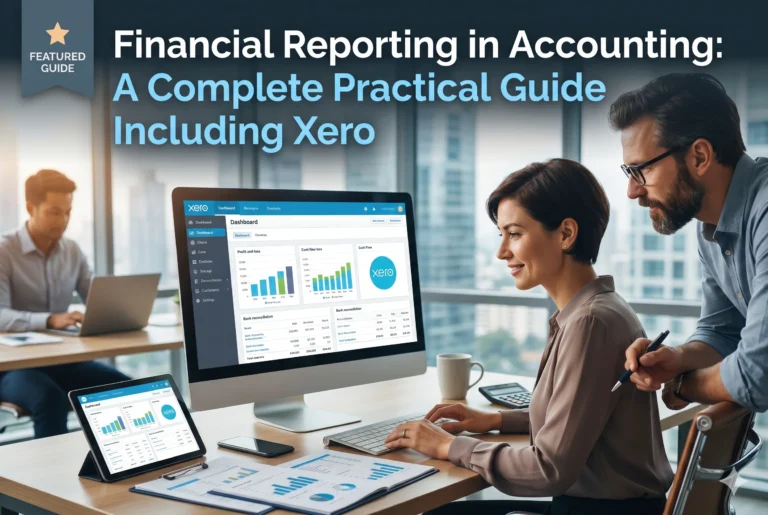
The reporting engine also feeds directly into advisory conversations — a trend line on a chart is far more persuasive than a paragraph in an email. See our practical guide to financial reporting with Xero for a deeper look at what the reports can do.
8. The Xero Partner Programme and Advisor Certification
Xero runs a formal partner programme for accountants and bookkeepers, with tiered status based on the number of clients and certified staff. Partners get discounted pricing to pass on, early access to new features, and a listing in Xero’s advisor directory, which can bring in new clients on its own. Certification is free and genuinely useful — the training covers the platform properly, not just the marketing.
For a firm weighing Xero for accountants, the partner programme tips the maths. The directory listing alone has brought new enquiries to many small firms, and the certification gives junior staff a structured way to learn the tool. It is one of the few vendor programmes in accounting software that feels built for the firms, not just for the vendor.
9. App Marketplace Integrations That Fill the Gaps
No single platform does everything, and Xero does not pretend otherwise. Its app marketplace connects to more than a thousand tools — receipt capture with Hubdoc and Dext, inventory, CRM, practice workflow, and industry-specific apps. The integrations sync both ways, so data entered in one place shows up everywhere it belongs.
For accountants, this matters because every client is different. One needs stock control, another needs a donations platform, a third needs a job-costing tool. Xero lets you keep the same core ledger while plugging in the specialist app each client needs. That flexibility is hard to match, and it is a major reason firms stay with Xero as they grow.
Xero Pricing for Accounting Firms
Xero’s pricing is simple, and the partner programme makes it better. Client subscriptions start at $29 per month for Starter, $50 per month for Standard, and $75 per month for Premium, with introductory pricing of $5.80 per month for Starter and $10 per month for Standard during the first three months.
Most accounting clients land on Standard, which adds unlimited invoicing and bills plus budgeting tools, while Premium suits larger clients with multi-currency needs and deeper forecasting.
Firms on the partner programme typically access discounted rates, which they can pass on to clients or keep as margin. The honest way to judge the cost is per client per month against the hours the automation saves — and for most firms, that comparison is comfortable. Our Xero pricing plans explained article breaks down every tier in detail.
Xero for Accountants vs QuickBooks
The comparison every firm asks about is Xero against QuickBooks. QuickBooks has a larger user base in some markets and a deep accountant edition of its own, while Xero for accountants wins on the cleanliness of its interface, the strength of Xero HQ, and the breadth of its app marketplace. QuickBooks can feel more powerful for complex inventory; Xero feels faster for day-to-day client work.
Our honest take: firms that value a clean multi-client dashboard and a modern app ecosystem tend to prefer Xero, while firms with deep QuickBooks history or specific US payroll needs may stay put. Read our Xero vs QuickBooks comparison for the full side-by-side before you decide.
Getting Started With Xero for Accountants
Starting is straightforward. Create a Xero partner account, complete the free advisor certification, and connect your first client — ideally a simple one, so your team learns the workflow before tackling the messy files. Set up the bank feed, import the chart of accounts, and run one full month in parallel with the old system before you switch off.
Two practical tips from firms that have done it: first, standardise your chart of accounts across clients early, because consistency is what makes Xero HQ useful.
Second, train clients on the mobile app and receipt capture from day one — the firms that get the most from the platform are the ones whose clients actually use it. If you want the basics first, our complete guide to what Xero is covers the platform from the ground up.
Try Xero free for your firm and run one client through a full month to judge it on real work, not a demo.
Managing Clients, Bills, and Payments in Xero
Beyond the headline features, the everyday tools in Xero for accountants hold up well. Pay bills keeps supplier payments scheduled and approved, so client cash flow stays predictable. Accept online payments lets your clients get paid faster, which makes your cash-flow advice easier to deliver. And claim expenses handles staff expenses with approvals and receipt photos, cutting out the spreadsheet entirely.
Multi-user access rounds out the picture: you control exactly who on your team — and which client contacts — can see or edit each file. Project tracking adds job costing for clients who bill by the project, so the same platform covers bookkeeping, payroll, billing, and advisory in one place.
Our Verdict on Xero for Accountants
Xero for accountants earns its place in a modern practice. Xero HQ gives firms a genuine multi-client command centre, Practice Manager ties jobs and billing together, and the bank feeds, reporting, and app marketplace remove the repetitive work that eats a firm’s margins. The partner programme and free certification add real commercial value on top.
It is not perfect. Firms with very complex inventory or heavy US payroll requirements should compare carefully, and the per-client subscription cost adds up across a large portfolio — though partner discounts soften that.
But for most accounting firms, bookkeeping practices, and solo CPAs, Xero for accountants is the strongest all-round choice we have reviewed: fast to learn, honest about what it does, and built around the way firms actually work.
Start your free Xero trial today and put one client through it — that single month of real work will tell you more than any review can.
Frequently Asked Questions
Is Xero good for accountants?
Yes. Xero for accountants adds practice-level tools — Xero HQ, Practice Manager, and the partner programme — on top of a strong core ledger, making it one of the best choices for firms that manage multiple clients.
What is Xero HQ?
Xero HQ is the dashboard firms use to monitor every client in one place. It shows bank-feed health, unreconciled items, overdue invoices, and upcoming deadlines across the whole portfolio.
Does Xero offer discounts for accountants?
Yes. Accountants and bookkeepers who join the Xero partner programme can access discounted subscription pricing, free advisor certification, and a listing in the Xero advisor directory.
Can accountants manage multiple clients in Xero?
Yes. A single Xero login can access every client file the firm manages, with separate permissions per client and per staff member, all visible from the Xero HQ dashboard.
Is there a free trial of Xero for accountants?
Yes. New users can start a free trial through the Xero signup page, and partner firms can trial the platform with a real client before committing to a subscription.