Xero for Catering Companies: 9 Powerful Features Catering Businesses Will Love (2026)
Disclosure: VantageHub is an independent review site. This article contains affiliate links — if you start a trial through one of our links, we may earn a commission at no extra cost to you. Our reviews stay independent either way.
Running a catering company means juggling event bookings, deposits, food costs, casual staff, and supplier bills — all while the next wedding or corporate lunch is already on the calendar. Xero for catering companies brings that chaos into one clear dashboard, so caterers and their teams can see exactly where every dollar goes. In this guide, we break down the nine features that make Xero for catering companies worth a serious look.
Try Xero free for 30 days — no card required
9 Powerful Features of Xero for Catering Companies
Catering is a cash-flow business with a rhythm all its own: deposits arrive weeks before an event, food and staff are paid before the guests arrive, and the final balance lands days later. The accounting software a catering company uses has to handle that reality, not fight it. Here is how Xero for catering companies measures up, feature by feature.
1. Invoicing That Follows the Event, Not the Office
Every event is a job, and every job needs an invoice the moment the booking is confirmed. Xero lets you create and send professional invoices from your phone, so you can bill a client from a venue walk-through instead of waiting until you are back at the kitchen. You can set payment terms per customer, request deposits up front, add late-payment reminders, and see at a glance which clients still owe a final balance.
For a small catering team, that speed matters. When you run Xero for catering companies, deposit invoices go out the same day a booking is confirmed, which locks in the date and protects your calendar. Repeat clients can be set up with repeating invoices for regular weekly or monthly bookings, and every invoice links back to the event it covers. Read our full guide to invoicing in Xero to see the workflow in detail.
2. Online Payments That Speed Up Deposits and Final Balances
Clients increasingly pay by card or bank transfer, and Xero connects directly to payment services such as Stripe so a customer can pay a deposit or a final balance online with one click. That removes the “cheque is in the mail” delay that eats into a caterer’s cash flow before a big event.
When a client pays online, Xero matches the payment to the invoice automatically and marks it paid — no manual entry, no missed deposits. For catering businesses that buy food and book staff before an event, faster payment is not a nice extra; it is the difference between ordering with confidence and chasing money the week of the event.
That cash-flow speed is one of the strongest reasons to choose Xero for catering companies. See how online payments work in Xero.
3. Bank Reconciliation for Food Suppliers and Venue Accounts
A catering company can easily run hundreds of transactions a week: wholesale food, produce, beverages, hire equipment, transport, and venue fees. Xero connects to your bank and supplier accounts and imports those transactions daily, then suggests matches against invoices and bills so reconciliation takes minutes instead of an afternoon. It is one of the most practical reasons to choose Xero for catering companies.
That daily visibility is what makes Xero for catering companies genuinely useful for busy kitchens. You can spot a supplier charge that does not match a delivery, catch a duplicate invoice, and know your true bank balance before you commit to the next event. Our Xero bank reconciliation guide walks through the setup.
4. Project Tracking for Every Event and Client
Xero’s project tracking turns each event — a wedding, a corporate lunch, a festival stall — into a trackable project with its own income, food costs, staff costs, and hire fees. That tells you which events actually make money and which ones only look profitable until you count the overtime and the last-minute hire charges.
Over a season, the pattern becomes obvious: the small weekday corporate lunches with tight menus may beat the big weekend weddings that tie up your whole team. With Xero for catering companies, that event-by-event profitability is visible without a spreadsheet, so you can price the next quote with real numbers instead of a gut feeling. Learn more in our guide to project tracking in Xero.
5. Expense Claims for Chefs, Servers, and Event Staff
Catering staff spend money all day — last-minute ingredients, ice, fuel, parking at venues, and small supplies — and those receipts pile up in apron pockets. Xero’s expense claims let staff photograph a receipt with their phone and submit it immediately, so nothing is lost and nothing is guessed at month end.
Managers approve claims inside Xero, and the amounts flow straight into the accounts with the right category attached. That matters at tax time, when food and event expenses are a major deduction for catering businesses. It also ends the weekly ritual of chasing paper receipts from staff who have already moved on to the next event.
That is why expense handling in Xero for catering companies feels built for the kitchen and the venue, not the office. Here is how claim expenses work in Xero.
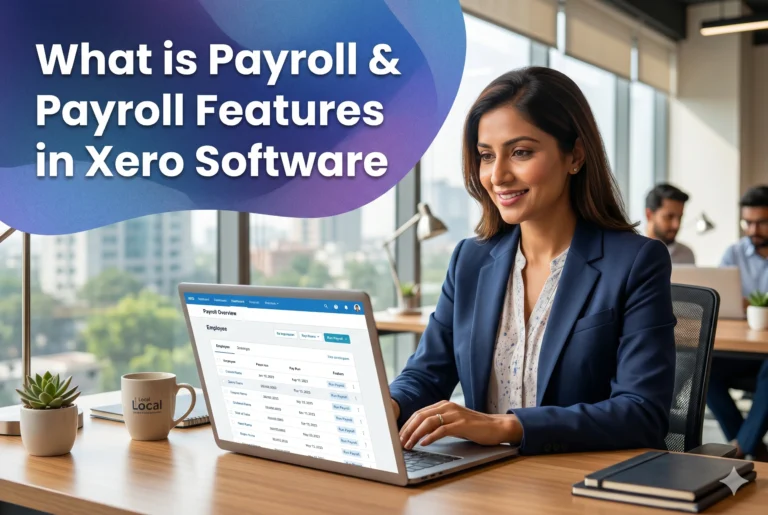
6. Payroll for Chefs, Servers, and Casual Event Staff
Paying catering staff is rarely simple: hourly rates, overtime, weekend loadings, tips, and casual loadings all have to land correctly. Xero’s payroll handles employee pay, deductions, and tax calculations, and keeps a clean record of what each person earned and when. That is the payroll reality Xero for catering companies is built to handle.
For a caterer with a core kitchen team plus a roster of casual event staff, that keeps payroll consistent week after week without a separate system. Event managers can still use the same records to track who worked which event and what it cost. Our guide to payroll features in accounting software explains what to look for.
7. Multi-User Access for Chefs, Event Managers, and Your Accountant
A catering business is rarely a one-person operation, even when the owner is also the head chef. An event manager needs to raise invoices, a kitchen manager needs to record supplier bills, and an accountant needs read-only access at tax time — but nobody should see everything. This is where Xero for catering companies earns trust: everyone gets the access their job needs and nothing more.
Xero’s multi-user access gives each person exactly the permissions their role needs, so an event manager can invoice without touching payroll, and your accountant can review the books without changing them. That control is a big reason Xero for catering companies works for growing catering teams, not just solo operators. See our guide to multi-user access in Xero.
8. Pay Bills and Manage Food, Hire, and Transport Costs
Food is the biggest variable cost in catering, followed closely by equipment hire, transport, and venue fees. Xero’s pay-bills feature schedules and tracks every supplier bill — wholesalers, produce markets, hire companies, and transport providers — so nothing is paid late and nothing is paid twice. For a caterer, keeping those bills organised is half the job of Xero for catering companies.
You can batch-pay several bills at once, attach the supplier invoice to the record, and see upcoming payments against your expected event deposits. That forward view is exactly what a catering company needs before taking on a large wedding or signing a new corporate contract. Our guide to the pay bills feature in Xero covers the details.
9. Reporting That Shows Profit Per Event, Per Client, Per Month
Xero’s reporting turns the day-to-day bookkeeping into answers a catering owner actually asks: which event earned the most this month, what is the food cost percentage, and how much cash is coming in over the next 30 days? The profit-and-loss report, aged receivables, and cash-flow forecast are built in and update automatically.
The 30-day cash-flow forecast is especially valuable in catering, where food and staff are paid before the event and the balance arrives after it. With Xero for catering companies, you can see a tight week coming before it arrives and delay a non-urgent purchase or chase a slow-paying client in time. It is the closest thing to a dashboard for the business side of the kitchen.
Start your free Xero trial — see your catering numbers in one place
How Much Does Xero Cost for Catering Companies?
Xero’s pricing is straightforward, and catering businesses of every size fit into one of three plans. The Starter plan costs $29 per month and covers up to 20 invoices and 5 bills a month, which suits a solo caterer or a small team running a handful of events. New customers can start at an introductory $5.80 per month for the first three months.
At those prices, Xero for catering companies stays affordable even when the business is just one kitchen and a small crew.
The Standard plan costs $50 per month, with an introductory $10 per month for the first three months, and removes the invoice and bill limits — the right choice for a catering company running several events a week. The Premium plan costs $75 per month and adds multi-currency support and deeper analysis, which matters for caterers serving international clients or destination weddings.
There are no per-user fees, so the cost stays flat as you add staff. For the full feature breakdown, see our guide to Xero pricing plans explained.
Xero for Catering Companies: The Honest Pros and Cons
Xero is a strong fit for catering, but it is not perfect for every caterer. The pros are clear: cloud access from anywhere, fast invoicing, solid bank reconciliation, and pricing that does not punish you for growing. The interface is clean enough that a chef-owner can use it without accounting training, and your accountant can work in the same file.
The cons are worth knowing. Xero has no built-in event-management or menu-planning tools — you will still need separate software for bookings, seating plans, and recipe costing, then connect it to Xero. Very large caterers with complex multi-venue operations may also want a dedicated hospitality add-on. And like any cloud tool, it needs a reliable internet connection, which is not always a given at an outdoor venue.
None of that is a deal-breaker for the small caterers Xero is aimed at. The honest summary is that Xero for catering companies handles the money side well, while event planning and menu costing stay in specialist tools that integrate with it.
Frequently Asked Questions
Is Xero good for small catering businesses?
Yes. A solo caterer or a small team is exactly who the Starter plan is built for: up to 20 invoices a month, bank reconciliation, expense claims, and a cash-flow forecast for $29 a month. It replaces the spreadsheet most caterers start with, and it scales when the event calendar fills up.
Can Xero track deposits for each event?
Yes. You can raise a deposit invoice when a booking is confirmed and a final-balance invoice closer to the event date, with each one linked to the same event through project tracking. That keeps deposits, balances, and event costs together, so you always know what is owed and what has already been paid for every booking.
Can staff submit expenses from a venue?
Yes. Staff use the Xero mobile app to photograph receipts and submit expense claims from anywhere with a signal. The claim flows to a manager for approval and lands in the accounts automatically, so event expenses are recorded the day they happen instead of the day someone empties an apron pocket.
Is Xero better than QuickBooks for catering?
Both are capable, and the right choice depends on your workflow. Xero tends to win on clean multi-user access, unlimited users on higher plans, and a simpler interface for non-accountants. QuickBooks has a larger library of hospitality-specific add-ons.
In our view, Xero for catering companies is the easier system to run day to day, but the add-on gap is real. If you want a head-to-head comparison, read our Xero vs QuickBooks comparison before deciding.
The Verdict: Is Xero Right for Your Catering Business?
For solo caterers and growing catering teams, Xero for catering companies earns its place. It covers the nine things that matter most — fast invoicing, online payments, bank reconciliation, event tracking, staff expenses, payroll, team access, bill management, and honest reporting — without charging per user or per event.
It will not replace your event-management software or cost your menus for you, and you should go in knowing that. But for the money side of a catering business — knowing what you earned, what you spent, and what is coming in next — Xero is one of the strongest options available, and the 30-day free trial is the cheapest way to find out if it fits your operation.
Try Xero free for 30 days — built for small catering businesses
That trial is the simplest way to test Xero for catering companies against your real events and menus. If it fits, the bookkeeping stops being a Sunday-night chore and starts being a dashboard you actually check.
New to Xero altogether? Start with our guide to what Xero is and how it works.